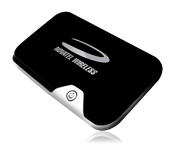
 If you follow me on Twitter you will know that I have had some ups and downs with Novatel's 2352 Intellegent Mobile Hotspot. It was a rocky start, but the story has a happy ending. This is a small device that combines a mobile broadband modem with a WiFi hotspot allowing you to connect up to five devices to the Internet while out and about without the need to install drivers. It is along similar lines to 3's Mifi device, in fact outside the UK it is called a “Mifi”, so maybe we should just say “it's a Mifi”. I tried it out with various tests to see how it performs.
3g
This week I have been lucky enough to be one of the first people in the UK to have a play with a product that 3 are bringing out today (Friday 18th September): the MiFi. What on earth is a "MiFi" you might ask? It is a small device that combines a mobile broadband modem, a WiFi router and a battery. You can easily carry it around with you, and connecting to it is no more complicated than connecting to any other WiFi hotspot. Up to five devices can be connected to it, you won't need any extra drivers or configuration packages and yes it works on Ubuntu. You can also connect devices to it that can't use a mobile broadband dongle, like iPod Touches and Internet radio devices and locked down corporate laptops that you can't install software on to. I was invited to an event in London on Monday by the folk at 3MobileBuzz and got to find out about the device, as well as be loaned one to try it out.
Netbooks are very useful devices, not just for web surfing and looking at your email for for all sorts of different purposes, some more obvious than others. These devices are all about mobility, but while you are out and about there could be situations where setting up a wireless network to connect a group of machines might be handy and of course Internet access makes this even more useful. Maybe you have a device you would like to use with the Internet while you are away, but it only has WiFi connection (e.g. some portable media players like the iPod Touch) and you cannot plug your 3G mobile broadband modem into it. As long as you have 3G coverage you can have a WiFi hotspot wherever you go, and you don't need to bring a dedicated router as a netbook powered by Ubuntu (or Easy Peasy) can easily fulfill this function.
Mobile broadband is becoming more popular now and many people are enjoying the convenience of being able to get broadband internet from a wide variety of locations. Both pre-pay and contract options are available on connections and the cost of using this service can be very reasonable. A lot of contracts are based on the idea of paying a certain rate for a set amount of data, for example £10 might buy you 1GB of data, but go over this allowance and the surfing could start getting a bit more expensive with each megabyte being charged separately at a high rate.
*** Please note this is not required for Ubuntu 10.04 onwards - extra software is only needed for versions of Ubuntu before this ***
Recently a good friend of mine, Georgina Parsons, was lucky enough to win a brand new mobile internet dongle courtesy of 3 UK. Like myself she is an Ubuntu user but sadly found that the unit she won, a ZTE MF627, isn't currently supported out of the box on Ubuntu, unlike the Huawei models. She did find a method to make it work though on the Ubuntu Forums at: http://ubuntuforums.org/showthread.php?p=6509188. The problem the unit had was similar to the Huawei E169G, when first plugged in it functions as a USB memory stick containing the driver software (for Windows) and has to be told to switch mode to being a modem. Using the workaround she got her modem working perfectly, but challenged me to make a package to install the files needed automatically.
It's a sad fact that most of the mobile operators, in the UK at least, sell their mobile broadband solutions with no support for Linux computers, despite the popularity of this operating system on netbooks.
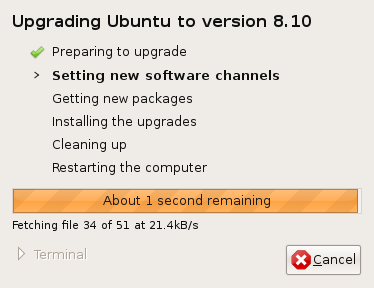 As you might know,a new version of Ubuntu was released a few days ago adding some new features and polish to this already fine operating system, and I've been trying out not only Ubuntu itself, but also some other members of the Ubuntu family of operating systems. You can find a list of features on the official announcement here: http://www.ubuntu.com/news/ubuntu-8.10-desktop. What always remains striking here is that Ubuntu preserves the tradition in Linux of offering users real choices for their computing experience, the user is in change of their computer and can compute how they want to. Ubuntu was always traditionally aimed at the desktop, then a server product was developed, and now a lot of work is being carried out into producing mobile versions of Linux. As this is an open operating system it is possible to mix these experiences together to your requirements. I upgraded from Ubuntu 8.04 on my laptop using an alternate install CD and found the whole experience was very smooth, once I put the CD in, Ubuntu asked me if I wanted to upgrade and it worked out what was required and happily upgraded.
Note to Ubuntu and Easy Peasy users: Your Huawei E169G should now work out-of-the box with later versions of Ubuntu (8.10 onwards) and derivatives. Lots of other modems work too, like the E160G.
The most popular post on this blog for some time has been Using you Asus EEE PC on the 3 mobile network, which is no doubt a lot to do with it being linked to from 3 Mobile Buzz.