The MiFi is a handy little device from 3 that allows you to have a pocket sized mobile broadband router that can connect to the mobile network to give you access to the Internet while you are out and about. Despite its convenience the unit did cause owners to have a few gripes, it had a status display that was tricky to understand, you could only reconfigure it with the supplied Windows client and its three button operation proved unpopular. Taking this feedback onboard 3 have been working with the unit's maker Huawei to bring out a new and improved version and I've just been to the event in London where the MiFi 2 (also known as the Huawei E585) was shown off to bloggers.
huawei
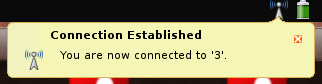 A few days ago a man wrote into The Guardian's technology help column Ask Jack to ask for help getting a Huawei E160G mobile internet modem working with his son's Asus EEE PC 901 complaining that "Nobody seems willing or able to assist". Jack Schofield, the Jack of Ask Jack, thoughtfully smoked his pipe (possibly) and suggested that "You can try reading Dale Lane's blog post and 138 comments, but frankly it would be easier to change the modem or install Windows XP, which works fine". Within hours, 3 Mobile Buzz, a blog from 3 that covers posts about their products from the blogosphere rounding up the information that they have. They didn't have a definitive answer on the E160G though, and later I twittered that I'd have a look to see if it is possible to get it working in a similar way to the E169G, another model of mobile internet modem. 3 Mobile Buzz took me up on the idea, and lent me an E160G to what was possible. The news so far is that it works perfectly on Ubuntu 8.10 (including the 64 bit version) and Easy Peasy (a version of Ubuntu targeted at netbooks, including the EEE) without any additional software. I've not managed to get it fully working on a Xandros powered EEE PC yet though, so if you want to use this modem with your EEE it might be a good idea to switch to using Easy Peasy. It is possible to the use the modem on Ubuntu, and with a little bit of fiddling about the built in micro-SD card reader as well.
Note to Ubuntu and Easy Peasy users: Your Huawei E169G should now work out-of-the box with later versions of Ubuntu (8.10 onwards) and derivatives. Lots of other modems work too, like the E160G.