Netbooks are very useful devices, not just for web surfing and looking at your email for for all sorts of different purposes, some more obvious than others. These devices are all about mobility, but while you are out and about there could be situations where setting up a wireless network to connect a group of machines might be handy and of course Internet access makes this even more useful. Maybe you have a device you would like to use with the Internet while you are away, but it only has WiFi connection (e.g. some portable media players like the iPod Touch) and you cannot plug your 3G mobile broadband modem into it. As long as you have 3G coverage you can have a WiFi hotspot wherever you go, and you don't need to bring a dedicated router as a netbook powered by Ubuntu (or Easy Peasy) can easily fulfill this function.
easy peasy
The recent release of Ubuntu 9.04 (a.k.a Jaunty) saw the release of the usual desktop and server editions but also a new edition: Netbook Remix. Confusingly we have all being talking about Netbook Remix for some time, meaning the distinctive interface that makes the most of the limited screen space on a netbook, but here we mean Ubuntu Netbook Remix (UNR) in the sense of an installation image that contains the entire operating system, including the Netbook Remix interface so you can easily install it on your netbook. This was a gap that was filled by popular derivative distributions such as Easy Peasy and Eeebuntu. I've been trying it out on my Asus EEE PC 701.
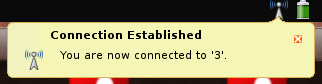 A few days ago a man wrote into The Guardian's technology help column Ask Jack to ask for help getting a Huawei E160G mobile internet modem working with his son's Asus EEE PC 901 complaining that "Nobody seems willing or able to assist". Jack Schofield, the Jack of Ask Jack, thoughtfully smoked his pipe (possibly) and suggested that "You can try reading Dale Lane's blog post and 138 comments, but frankly it would be easier to change the modem or install Windows XP, which works fine". Within hours, 3 Mobile Buzz, a blog from 3 that covers posts about their products from the blogosphere rounding up the information that they have. They didn't have a definitive answer on the E160G though, and later I twittered that I'd have a look to see if it is possible to get it working in a similar way to the E169G, another model of mobile internet modem. 3 Mobile Buzz took me up on the idea, and lent me an E160G to what was possible. The news so far is that it works perfectly on Ubuntu 8.10 (including the 64 bit version) and Easy Peasy (a version of Ubuntu targeted at netbooks, including the EEE) without any additional software. I've not managed to get it fully working on a Xandros powered EEE PC yet though, so if you want to use this modem with your EEE it might be a good idea to switch to using Easy Peasy. It is possible to the use the modem on Ubuntu, and with a little bit of fiddling about the built in micro-SD card reader as well.
Monday saw the release of Easy Peasy 1.0, a version of Ubuntu 8.10 adapted for netbooks like the Asus EEE PC. I've just installed it onto my EEE, and am looking forward to using it. It is essentially similar to Ubuntu, but has some important differences: firstly all of the drivers needed for the EEE are included by default, meaning, amoungst other things, that the WiFi will work straight out of the box.