Ubuntu MID is one of the newest members of the Ubuntu family, a version of Ubuntu made for touch screen mobile devices. It has a very different interface to regular Ubuntu and even Ubuntu Netbook Remix as it is designed with big finger-friendly icons.
ubuntu mid
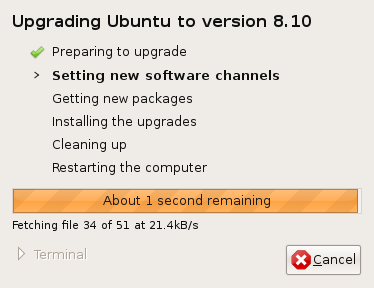 As you might know,a new version of Ubuntu was released a few days ago adding some new features and polish to this already fine operating system, and I've been trying out not only Ubuntu itself, but also some other members of the Ubuntu family of operating systems. You can find a list of features on the official announcement here: http://www.ubuntu.com/news/ubuntu-8.10-desktop. What always remains striking here is that Ubuntu preserves the tradition in Linux of offering users real choices for their computing experience, the user is in change of their computer and can compute how they want to. Ubuntu was always traditionally aimed at the desktop, then a server product was developed, and now a lot of work is being carried out into producing mobile versions of Linux. As this is an open operating system it is possible to mix these experiences together to your requirements. I upgraded from Ubuntu 8.04 on my laptop using an alternate install CD and found the whole experience was very smooth, once I put the CD in, Ubuntu asked me if I wanted to upgrade and it worked out what was required and happily upgraded.