 Something I have been meaning to do for ages is to have a go with a MeeGo image on a Nokia N900. MeeGo is a Linux distribution intended for embedded devices and netbooks. It is the merger of Nokia's Maemo project and Intel's Moblin project and aims to produce a distribution suitable for use on set top boxes, mobile phones, tablets, in-vehicle entertainment systems. It is also backed by The Linux Foundation who are already offering a training course in it. At the end of October MeeGo v1.1 was released which includes an installable image with a user interface for the Nokia N900.
nokia
An application suitable for use on most Nokia phones that have access to the Ovi store that brings content from this site to these devices in a mobile friendly way. It was created with a wizard.
See: Grab the greenhughes.com app from Nokia's Ovi store now!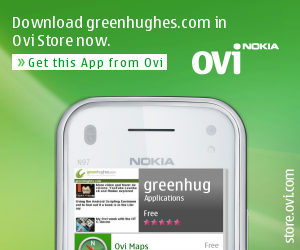
A few days ago WOMWorld/Nokia asked "Have you made an Ovi app yet?" Ovi is Nokia's mobile app portal, similar in idea to Google's Android Market or Apple's App Store. My answer to this question was no, it hasn't occurred to me, but it turned out that a tool existed to turn any RSS feed into an app without needing to go to the effort of doing any coding. I had a spare half an hour so I decided to give it a try to see if I could make an app for this site. The app generator takes you through a wizard that asks you for a few settings, a few graphics and then submits you shiny new app for a review process. A couple of hours before writing this post I got an email to say my new app is now available in the Ovi app store - for free!
Back in December I was sent a Nokia N900 on a six month trial. I've been living with it as my everyday mobile phone in a special test and having the device for this extended period of time has allowed me to find out lots about this tiny Linux computer. Now that the trial is nearing an end though it is a good time to take things down a gear and relax by listening to music or watching some videos. However, just listening to some local MP3 files on it would be dull, so what else can it do? The N900 has some interesting features in this department, and the inclusion of a TV-out lead and an FM transmitter adds an unusual twist.
In the 21st century people are surrounded by computers. Mobiles, set top boxes, netbooks, nettops, laptops, even in the car. Back in February 2010 Intel and Nokia decided to merge their Linux efforts, Moblin and Maemo, into a new distribution called Meego. When you go to the Meego site you will see that straight away that they going to design this distribution for all of these devices, making it a very interesting development. On 31st March an announcement was made that some Meego images were available, so I was keen to have a look at it. Unfortunately I managed to build an image but have not got it to run, but I thought I would document what was involved anyway. The documentation and code are actively being worked on so I hope to have a working image soon.
I like programming, I like mobiles, so naturally three months into my trial of the Nokia N900 my curiosity turned to how you might write your own applications for this very capable device. Notice I've said “applications” not “apps” here, as maybe “apps” doesn't really do it justice, especially with full sized applications like Abiword being ported. The device is really a pocket sized Linux computer with goodies such as a high resolution screen, GPS and Infra Red all thrown in so it has a lot of potential for creative application developers. You can develop code for it using tools on your laptop or if you just want to experiment a little you can even write Python programs on the device itself.
Boxee is easy to use, mainly you need only six buttons on a remote to control it (the navigational keys, select and back). Sometimes you need to enter some text, maybe for a search box or to use the new feature of adding a comment to an item you liked. This can be time consuming with a normal remote, so the ideal device would have a little keyboard like the Boxee remote or the Logitech diNovo Mini ™ (which does seem a little expensive). The Nokia N900 has a nice backlit hardware keyboard though and a touch screen. One possible snag you might think is the lack of a “app” to control Boxee (such as the ones available for Android and iPhone), but “if you can't do something do something else” (according to a saying I may have made up). Fortunately it is possible to control Boxee through a browser, and this approach might work for other mobile devices too.
Despite the idea of "being in Cyberspace" and the power of the Internet to connect us to people all over the world regardless of our location, we often use a browser to find out about people and services close to us. These might be queries such as finding the opening times of a local store, the time of a train or local expertise. Each time we do this it is often necessary to tell the website where we are, typcially by providing a post code, but what if you don't know the postcode? Fortunately browsers and becoming much more clever, and some can even work out where you are.
If I was to walk into a mobile phone shop and demand a full size skateboard controller for my mobile or an interface to control an Etch-A-Sketch I wonder what they would do? Maybe they would laugh or insist that no normal person would want to do that or claim it can't be done. Yet last Thursday night in an unassuming corner of the east end of London, UK, I found people who were experimenting with these ideas and more. The event was the Push N900 Showcase, organised by Nokia, and I was delighted to be invited along. I even had a go at a bit of live video broadcasting with my trial Nokia N900 while I was there.
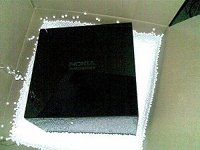 Just before Christmas I had a delivery of a large mysterious black box. There was no obvious way to open it, on the top was engraved “Nokia – connecting people” and on the front a mini usb socket. Also packaged was a USB lead and a card telling me that this was a Nokia “hackerbox” and telling me a web site to visit for clues on how to open it. I managed to connect up the box to my computer and got a terminal session going to “log in” to the box, admittedly I used Google to find out how to get in (as I am not very good at puzzles!). Dramatically, when the right command was issued, the top of the box popped open and a puff of smoke emerged. Inside was a the Nokia N900, a Linux powered mobile phone, accessories, a plastic fox and a nice bit of cake.