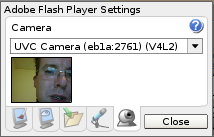
 It's been a long journey to get full Adobe Flash player functionality on Linux machines, but now it looks like that journey is drawing to a close. I've just been playing with a release candidate of Flash Player 10 on my Asus EEE PC and am very happy with the results.
iplayer
By Liam Green-Hughes, 29 May, 2008
If you've been trying to watch YouTube videos or use the BBC's iPlayer site on your Asus EEE PC you might have noticed that it it is not possible to use these services in full screen mode. YouTube videos just play in a bigger window when you try to activate full screen. Trying to watch the videos when embedded on their webpages can be a little frustrating as it wastes available screen space (on what is quite a small screen anyway). Fortunately, this is quite easy to fix.